For macOS 15+
Your desktop, alive.
BetterMacWidgets puts desktop widgets right where you work — 8 essential widgets permanently free, free-floating with drag & drop and an invisible snap grid. Pro unlocks all 36 widgets, live weather & lock screen.
macOS 15+ · Apple Silicon · 8 widgets free forever
8 widgets free · No telemetry · 36 widgets total
CUSTOM WIDGETS
Build the widget you wish existed.
Write a few lines and a live tile lands on your desktop: a gauge, a chart, a number from the web, your own layout. Share it as one small file.
    { "elements": [
      { "type": "icon", "symbol": "battery.75",
        "color": "accent" },
      { "type": "text", "text": "{battery} %",
        "style": "caption" },
      { "type": "spacer" },
      { "type": "text", "text": "{weekday}",
        "style": "caption", "color": "accent" }
    ]}
  ]
}▍
A widget reads only the one address it names. It runs no commands and opens no files, and your API key never leaves your Mac.
Live Weather
Weather that plays the sky.
Forecasts are real: Open-Meteo data for your precise or approximate location — or any custom city you type in.
LIQUID GLASS
CLEAR IS PROClear, actually clear.
Frosted is a real glass pane you can tune from 0 to 100%. Clear removes the tile entirely — only the widget's content floats on your wallpaper.
Frosted — adjustable glass
A translucent glass card with its own 0–100% opacity slider. Minimal glass that lets your wallpaper shine through, or a dense pane — your call.
Clear — the Pro look
The tile itself disappears. No fill, no rim, no card — just your widgets' content, floating directly on the wallpaper with a soft legibility shadow.
WIDGET STACKS
PROOne slot. As many widgets as you like.
Drop a widget onto another of the same size and they merge into a single stack — flick through the members whenever you like.
How it works
- 1Drag one widget on top of another on your desktop.
- 2They merge into a single slot — one widget on show at a time.
- 3Hover the tile and use the ‹ › arrows to flick through; the dots show where you are.
- 4Right-click for “Show Next” and “Rotate Every” to switch automatically.
The rules
A 3×2 stacks with another 3×2, never with a 2×2. Mixed sizes would leave the smaller widget rattling around inside the bigger slot, so they're pushed apart instead.
Drop a tile on a neighbour it can't stack with and it slides to the nearest free spot.
Stacking is part of BetterMacWidgets Pro — the demo above is exactly how it behaves on your desktop.
The Widgets
36 widgets. Made for your desktop.
Every tile below is the real widget, rebuilt for the web — same design, same interactions, same themes. Go on, hover around.
Now Playing
Your music, living on glass.
Artwork, marquee titles and real playback progress, mirrored straight from Spotify or Apple Music. Play, pause and skip right on the tile — your desktop becomes the remote.
System Pulse
Watch your Mac breathe.
Animated gauges for CPU, GPU, memory and disk, plus a liquid battery that actually sloshes while it charges. Idle cost stays near zero — widgets only animate while you're looking.
Productivity
Check it off. Jot it down.
Reminders come straight from Apple Reminders — tick a checkbox on the widget and it syncs right back. Next to it, a sticky note that lives on your desktop: your text, your paper color, your font.
Ambient
Your photos, on your desktop.
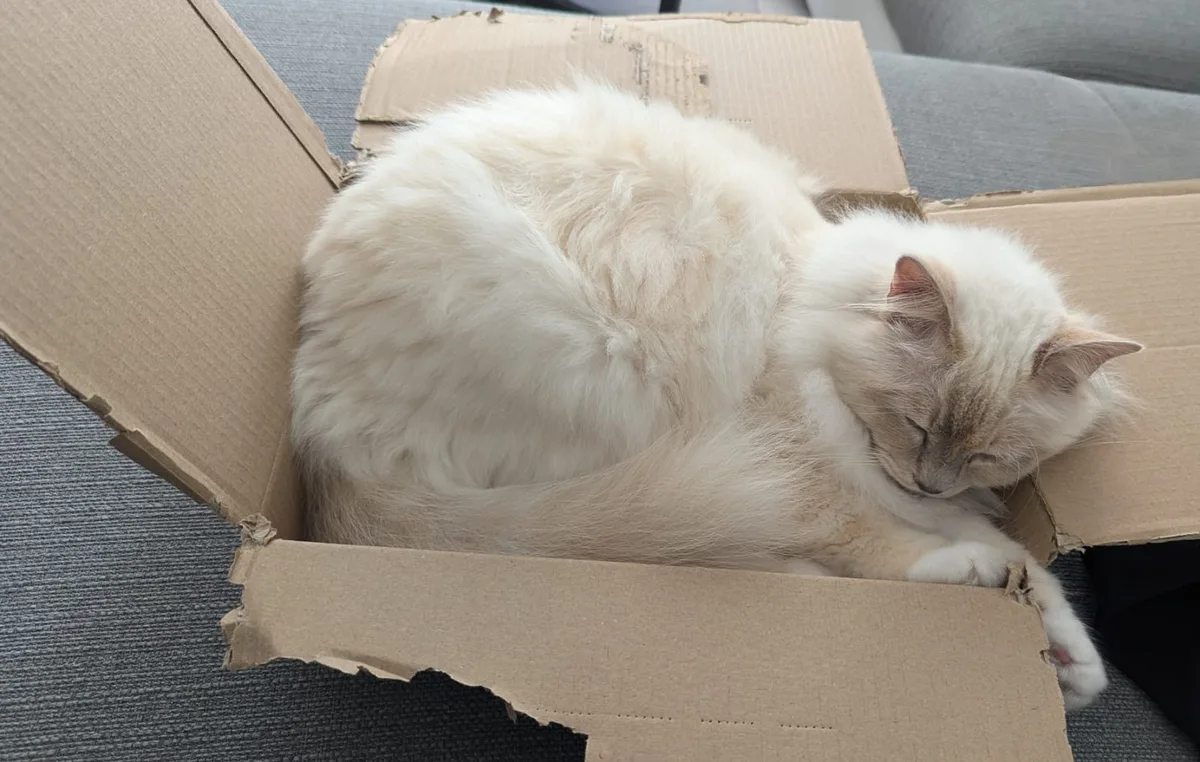
Point the Photos widget at any folder and it plays a slow Ken-Burns slideshow of it, right on your desktop. No photo-library access, no cloud: your pictures never leave your Mac. (That one is my cat.)
Toolbox
Small tools, big time-savers.
A live clock, a timer, a stopwatch with lap splits, a unit converter and a password generator — compact where it helps, with wider layouts where the content needs room. Scatter them wherever you need them; they snap neatly into the grid.
Command Center
Launch apps. Watch your gear.
A launcher grid puts your favorite apps one click away, one-tap Shortcut buttons run your automations, the Network widget draws a live throughput chart, and the Bluetooth widget reads real battery levels from your headphones, mouse and keyboard.
Themes
20 themes. One click.
All 20 curated palettes included with Desktop Widgets
Pick a palette — every widget on your desktop retints instantly. Surfaces, accents, text, hairlines: one theme, everywhere.
EVERY SIZE
One widget. Six shapes.
A bigger tile is not the same tile stretched. Every size is drawn for the room it has — pick one and watch the System widget rebuild itself.
Gigabytes instead of percentages, peak and average beside them.
Live components at app-exact pixels — the same views the app renders.
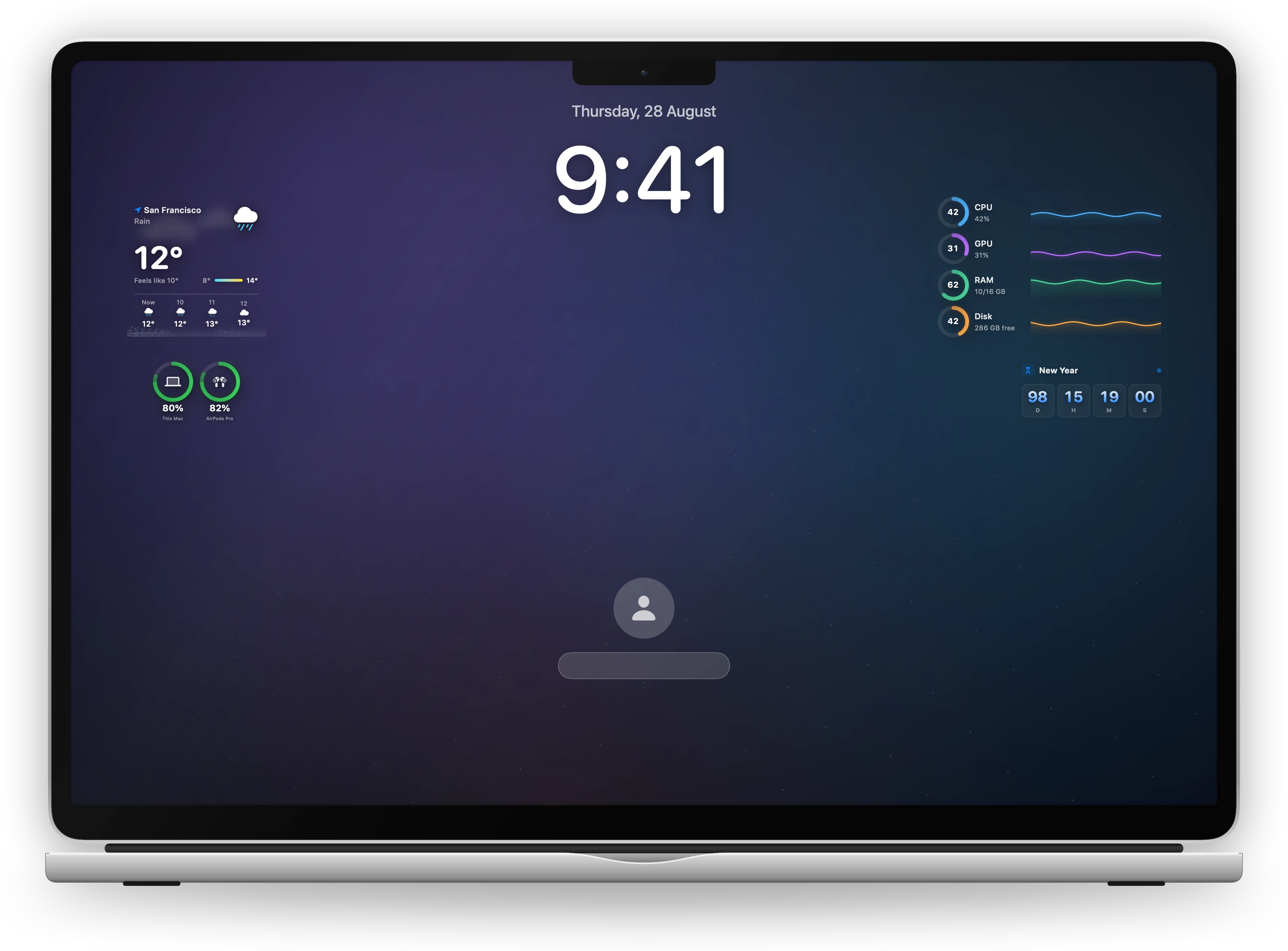
Your widgets, while the Mac is locked
Weather, your battery, the time in another city — readable at a glance without unlocking anything. Your clock, your wallpaper and the password field stay exactly as macOS draws them.
GET STARTED · INSTANT ACCESS
Your Mac Desktop. Elevated.
Bring live, interactive Liquid-Glass widgets to your Mac desktop and lock screen. 8 essential widgets free forever, or unlock full Pro access.
Download BetterMacWidgets
8 essential widgets free forever on your Mac desktop: Clock (all sizes), Weather (up to 2×2), Calendar, Reminders, Timer, World Clock, Stopwatch, and Countdown. No subscription, no account.
Unlock Pro
Instant access to all 36 widgets in every size, live weather animations, smart stacks, Clear Glass and all 20 themes. Lock screen and custom widgets come with the Bundle.